Services
508 & WCAG Accessibility & Remediation Specialist
- DHS Section 508 Trusted Tester Certified
- Accessibility Testing: Manual, NVDA, JAWS & ARIA patterns
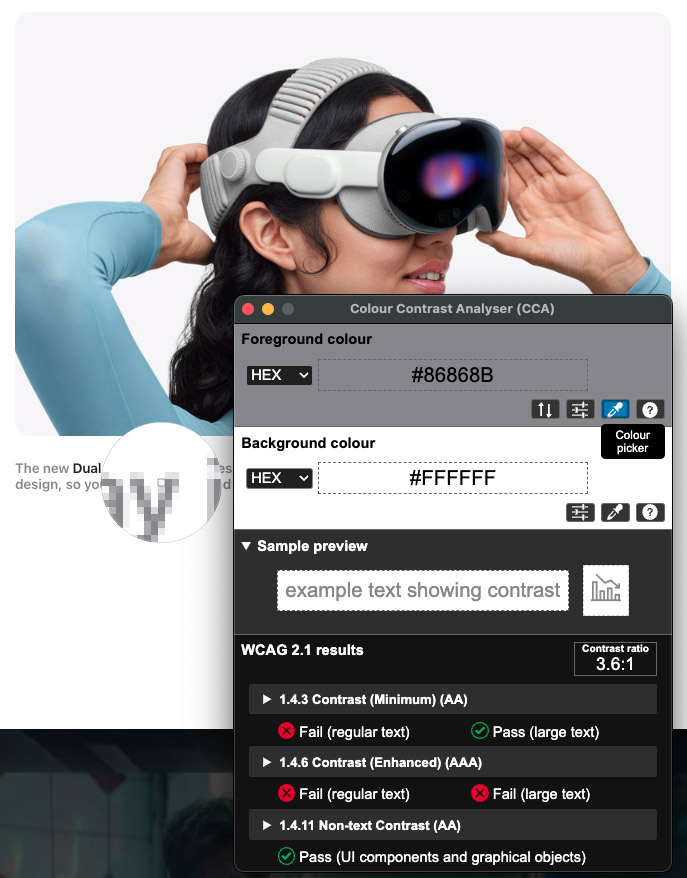
- ANDI, WAVE, Color Contrast Analyser (CCA), Chrome DevTools
- Documentation, VPAT/ACR
With over 15 years as an Accessibility Specialist, I bring extensive hands-on experience evaluating websites and web applications against the Revised Section 508 standards and WCAG guidelines. I follow the official DHS Trusted Tester methodology, so my audits are structured, comprehensive, and manually verified, not just quick scans or AI-generated reports. I look at accessibility from both a compliance and user-experience perspective, focusing on how people with disabilities actually work with content using screen readers, keyboards, magnifiers, and other assistive technologies.
AI tools can be helpful for catching obvious issues, but they are far from a complete accessibility strategy. In practice, AI agents work best when they support specific tasks
in a workflow and pass results to the next agent, rather than trying to find every possible issue in one pass. Effective remediation still requires someone who understands
code, Section 508, and WCAG, and who can recommend solutions that are both technically correct and practical for the team to implement. AI can support this process, but it
cannot replace the expertise needed to deliver a complete, accurate, and actionable 508 assessment and remediation plan.
To support development teams, I create accessibility-focused style guides and component patterns that define headings, color contrast, focus states, form controls, error
handling, and interactive elements that meet Section 508 and WCAG requirements. As part of my reviews, I provide tested HTML, CSS, and component snippets so developers can
correct issues quickly and consistently. A combination of accurate testing, hands-on remediation, and clear implementation guidance help organizations resolve current
accessibility problems while building maintainable, accessibility-first solutions.
ChatGPT AI WCAG 2.1 and Section 508 Accessibility Testing Prompts
Use these expanded prompts for quick first-pass reviews of websites, applications, PDFs, vendor systems, and VPAT/ACR documentation. Note: AI tools do not replace manual accessibility testing, but they can help organize potential issues before a deeper expert review.
01 General WCAG 2.1 AA and Section 508 Review Best
Act as a DHS Section 508 Certified Trusted Tester and WCAG accessibility specialist. Review this website, application, document, component, or workflow for WCAG 2.1 Level AA and Revised Section 508 compliance. Do not rely only on automated findings. Evaluate keyboard access, focus order, visible focus, screen reader behavior, semantic structure, headings, landmarks, forms, instructions, errors, ARIA, color contrast, non-text contrast, alt text, tables, dialogs, menus, responsive reflow, zoom behavior, mobile behavior, and complete user workflow success. For each issue, provide the WCAG criterion, Section 508 relevance, severity, user impact, steps to reproduce, expected behavior, actual behavior, recommended fix, and whether the issue requires manual verification. Include any missing information that should be requested from the site owner, developer, designer, or vendor before making a final compliance determination.
02 Full WCAG / Section 508 Review
Act as a DHS Section 508 Certified Trusted Tester and WCAG accessibility specialist. Review the provided webpage, application screen, PDF, HTML, component, or workflow for accessibility issues under WCAG 2.1 Level AA, Revised Section 508, and, where helpful, WCAG 2.2 best practices. Do not rely only on automated findings. Perform a manual accessibility review that considers keyboard access, focus order, visible focus, screen reader behavior, semantic structure, headings, landmarks, forms, instructions, errors, ARIA, color contrast, non-text contrast, alt text, tables, dialogs, menus, responsive reflow, zoom, mobile behavior, and full user workflow completion. For each issue, provide the applicable WCAG success criterion, Section 508 relevance, severity, user impact, steps to reproduce, expected behavior, actual behavior, recommended fix, and suggested testing method or assistive technology check. Organize findings by severity: critical, high, medium, and low. Include both confirmed issues and likely risks that require manual verification.
03 Keyboard-Only Testing
Act as a DHS Section 508 Certified Trusted Tester and WCAG accessibility specialist performing a keyboard-only review. Evaluate whether every interactive element can be reached, understood, and operated without a mouse. Check tab order, Shift+Tab order, skip links, visible focus indicators, menus, dropdowns, modals, buttons, links, forms, date pickers, accordions, tabs, tables, carousels, filters, pagination, custom controls, and any dynamic content. Test expected keyboard commands including Tab, Shift+Tab, Enter, Space, Escape, and arrow keys where appropriate. Identify keyboard traps, missing or low-contrast focus indicators, illogical focus movement, hidden focus, focus loss after actions, controls that cannot be operated by keyboard, and workflows that cannot be completed. Map findings to WCAG 2.1 criteria including 2.1.1 Keyboard, 2.1.2 No Keyboard Trap, 2.4.3 Focus Order, 2.4.7 Focus Visible, and related Section 508 requirements. For each issue, provide severity, user impact, steps to reproduce, expected behavior, actual behavior, and recommended fix.
04 Screen Reader / Name, Role, Value
Act as a DHS Section 508 Certified Trusted Tester and WCAG accessibility specialist reviewing screen reader and assistive technology support. Using NVDA, JAWS, VoiceOver, and browser accessibility tree testing principles, review the provided screen, page, component, or code for issues affecting assistive technology users. Check whether headings, landmarks, links, buttons, form fields, tables, images, dialogs, menus, tabs, accordions, alerts, status messages, icons, custom controls, and dynamic updates expose the correct accessible name, role, state, and value. Identify where users may be confused, blocked, given incomplete information, or forced to guess context. Check for duplicate link text, vague labels, missing programmatic relationships, incorrect ARIA, decorative images announced unnecessarily, and status changes that are not announced. Map issues to WCAG 2.1 criteria including 1.1.1 Non-text Content, 1.3.1 Info and Relationships, 2.4.4 Link Purpose, 2.4.6 Headings and Labels, 3.3.2 Labels or Instructions, 4.1.2 Name, Role, Value, and 4.1.3 Status Messages. For each issue, provide severity, user impact, steps to reproduce, expected behavior, actual behavior, and recommended fix.
05 Forms and Error Handling
Act as a DHS Section 508 Certified Trusted Tester and WCAG accessibility specialist reviewing forms, errors, and workflow validation. Evaluate the provided form or form workflow for accessible labels, visible labels, programmatic labels, instructions, field grouping, legends, required field indicators, input purpose, autocomplete, validation timing, error identification, error suggestions, focus management, summary messages, inline messages, and screen reader announcements. Confirm whether users can understand what information is required, recover from mistakes, review critical submissions, and complete the form using keyboard and assistive technology. Check that errors are not communicated by color alone and that focus moves logically after validation or submission. Map findings to WCAG 2.1 criteria including 1.3.1 Info and Relationships, 1.3.5 Identify Input Purpose, 1.4.1 Use of Color, 2.4.3 Focus Order, 3.3.1 Error Identification, 3.3.2 Labels or Instructions, 3.3.3 Error Suggestion, 3.3.4 Error Prevention, and 4.1.3 Status Messages. For each issue, provide severity, user impact, steps to reproduce, expected behavior, actual behavior, and recommended fix.
06 Visual Design, Contrast and Reflow
Act as a DHS Section 508 Certified Trusted Tester and WCAG accessibility specialist reviewing visual design, contrast, zoom, and responsive behavior. Evaluate the provided design, screenshot, page, or CSS for accessibility barriers affecting low vision users, color-blind users, keyboard users, cognitive users, and mobile users. Check text contrast, non-text contrast, focus indicator contrast, hover and focus states, color-only meaning, font sizing, line height, spacing, readability, target size, content clipping, text resizing up to 200 percent, zoom behavior, orientation, responsive layout, and reflow at 320 CSS pixels. Identify any content that overlaps, disappears, requires two-dimensional scrolling, becomes unreadable, or loses functionality at smaller viewports. Map issues to WCAG 2.1 criteria including 1.4.1 Use of Color, 1.4.3 Contrast Minimum, 1.4.4 Resize Text, 1.4.10 Reflow, 1.4.11 Non-text Contrast, 1.4.12 Text Spacing, 2.4.7 Focus Visible, and relevant WCAG 2.2 best practices such as Focus Appearance and Target Size where appropriate. For each issue, provide severity, user impact, steps to reproduce, expected behavior, actual behavior, and recommended fix.
07 PDF / Document Accessibility
Act as a DHS Section 508 Certified Trusted Tester and WCAG accessibility specialist with expertise in PDF and document accessibility. Review the provided PDF, Word document, or document content for accessibility compliance under Revised Section 508 and WCAG 2.1 Level AA where applicable. Check for proper document structure, tags, logical reading order, headings, bookmarks, alt text, artifacted decorative images, table headers, meaningful links, form field labels, language settings, title metadata, tab order, color contrast, accessible lists, accessible footnotes, and correct reading structure. Identify barriers for screen reader users, keyboard users, low vision users, and users who rely on document navigation. Provide remediation guidance for Acrobat, Word, or source-document correction when appropriate. For each issue, provide the relevant WCAG criterion or Section 508 requirement, severity, user impact, steps to reproduce or verify, expected behavior, actual behavior, and recommended fix.
08 VPAT / ACR Red-Flag Review
Act as a DHS Section 508 Certified Trusted Tester and WCAG accessibility specialist serving as an accessibility compliance gatekeeper reviewing a vendor VPAT / Accessibility Conformance Report. Evaluate the ACR for credibility, completeness, risk, and procurement readiness. Identify red flags such as vague “Supports” claims, missing testing scope, outdated product versions, missing WCAG version, lack of manual testing evidence, missing assistive technology and browser combinations, unsupported “Not Applicable” ratings, incomplete remarks, unresolved “Partially Supports” or “Does Not Support” issues, no remediation timelines, inconsistent claims across criteria, missing product limitations, and lack of evidence for complex workflows. Provide follow-up questions to send to the vendor, required evidence to request, risk level, procurement impact, and a preliminary recommendation: approve, conditionally approve, require remediation, request a revised ACR, or escalate for risk acceptance. Where possible, identify which claims require independent validation through manual testing.
UI/UX Human Centered Design (HCD)
- Figma / Adobe XD / FlutterFlow / Sketch / Balsamiq Wireframes
- Bootstrap / HTML / CSS / XML / JavaScript / JSON
- Google UX Design Certification
- Adobe Photoshop, Illustrator
My UI and UX work, grounded in Human-Centered Design (HCD), always starts with a simple question: what is the user trying to accomplish, and what requirements, business rules, and organizational goals define that task? I conduct research to understand user contexts and constraints, map task flows, and identify pain points that could slow people down or introduce errors.
Using that insight, I create wireframes and prototypes that focus on clarity, simplicity, and predictable interactions, then validate those designs through usability testing
and iteration. The outcome is not just a visually appealing interface but a digital experience that is intuitive, accessible, and supports the purpose of the system. Over the
years, I’ve applied this approach to visual dashboards and mission-critical web applications that support complex decision making, while still providing interfaces that are
intuitive and engaging for the people who use them.
HCD is also how I evaluate and improve existing interfaces and workflows. I partner with stakeholders, subject matter experts, and development teams to clarify requirements,
explore different design options, and test ideas early so issues are discovered before they become expensive to fix.
Because I work across both UX design and front-end implementation, I help teams translate prototypes into production-ready interfaces that look polished, behave consistently
across devices, and remain maintainable for developers. I can also produce Section 508-accessible CSS, reusable component libraries, and style guides that give development
teams clear, consistent patterns to follow. Throughout that process I treat accessibility as a core requirement rather than an afterthought, incorporating Section 508 and WCAG
considerations into layouts, interaction patterns, and design systems from the beginning.
These processes are also outlined in my guide,
AI & Human-Centered Design (HCD) for Government Agencies, where I show teams how to use AI tools to quickly prototype and refine ideas while maintaining accessibility and adhering to UX best practices.
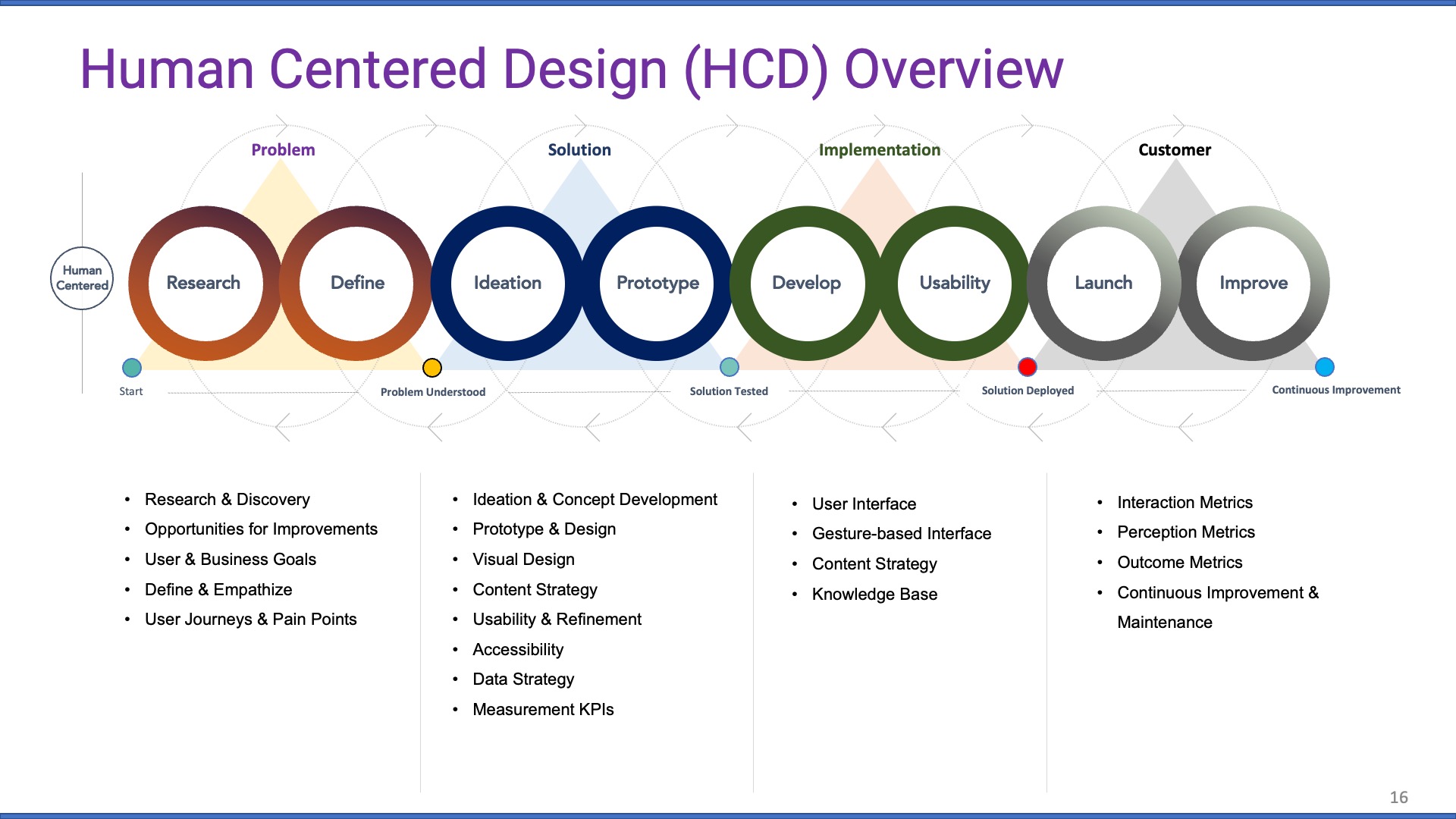 Human Centered Design (HCD) Overview (click to expand)
AI Agent Development & Creative Prompt Engineering

I design and build task-focused AI agents that plug into your existing systems using APIs, well-defined knowledge bases, and secure retrieval pipelines. Instead of relying on opaque, one-off prompts, I treat agents like products: each one has clear goals, guardrails, and workflows that make its behavior predictable, easy to train, and easy to refine. This approach makes AI more reliable, especially in environments where accuracy, privacy, and auditability matter, such as government agencies, healthcare organizations, and large enterprises.
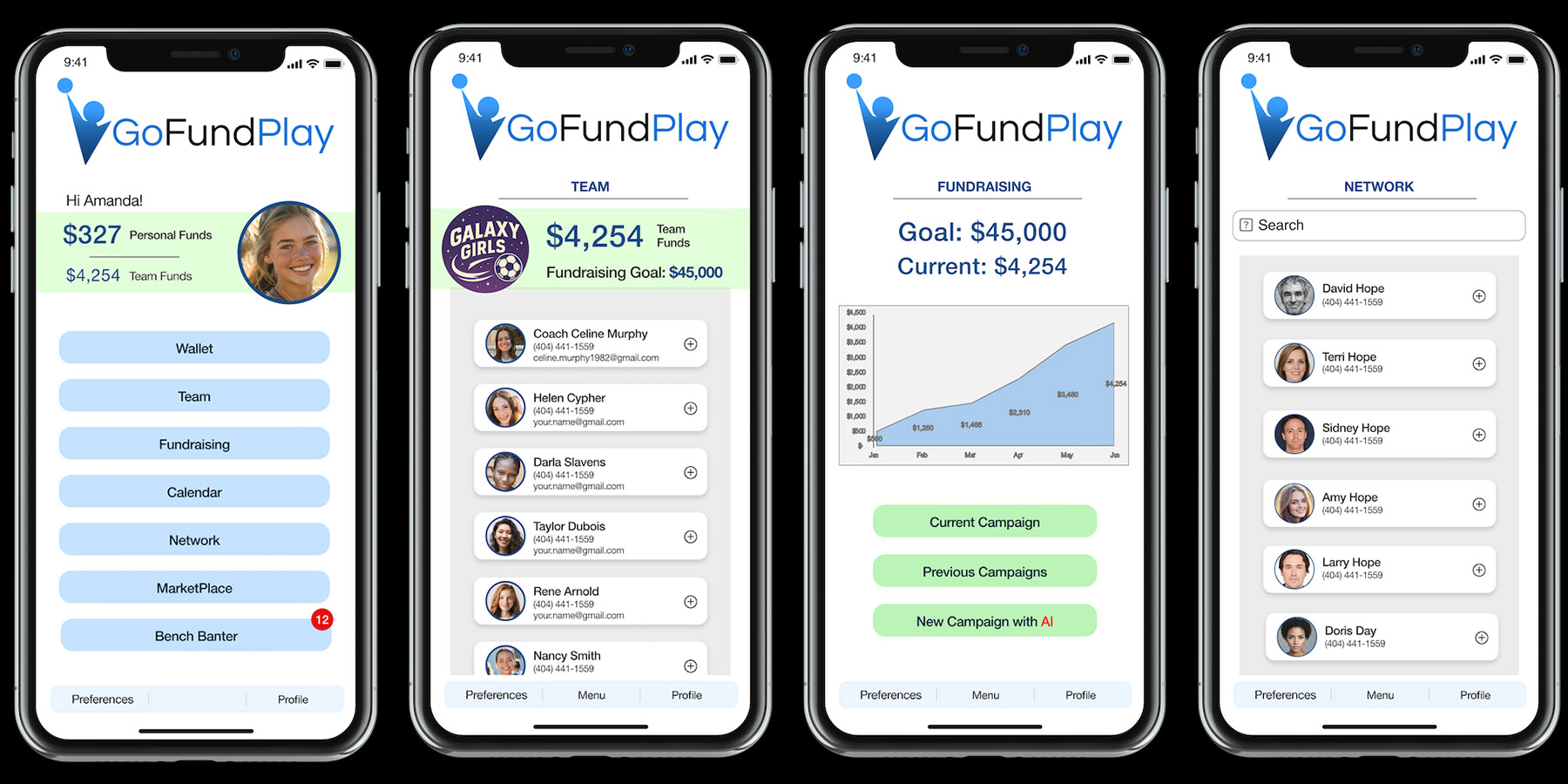
For example, I use the Model Context Protocol (MCP) to connect GoFundPlay's AI Promotion and Fundraising Agents to shared tools and data sources so they can help young athletes
promote themselves and design effective fundraising strategies for their teams. Running on AWS with modern AI services, these cloud-based agents give mobile app users powerful
capabilities while keeping technology in a supporting role to people.
Across projects, I rely on proven patterns like step-by-step task decomposition, reusable prompt templates, and structured input/output formats to keep agent behavior
predictable, traceable, and easy to refine over time. When necessary, I also design AI assistants that can call other specialized agents or act as orchestrators—breaking larger
goals into smaller, verifiable actions across multiple tools. This approach improves accuracy and consistency, reduces AI hallicination, and provides information into what the
agent did, why it did it, and how to adjust the workflow safely.
My AI work blends technical implementation with a strong Human-Centered Design and accessibility focus. I carefully craft prompts, establish guardrails, and design workflows so
AI agents feel helpful, responsive, and trustworthy, never intrusive or confusing. The result is AI that supports real user needs, fits naturally into existing processes, and
can be tested and governed like any other critical product feature.
My goal is to incorporate AI solutions that empower people to produce more, save time, and enhance their capabilities, not replace them or their expertise.
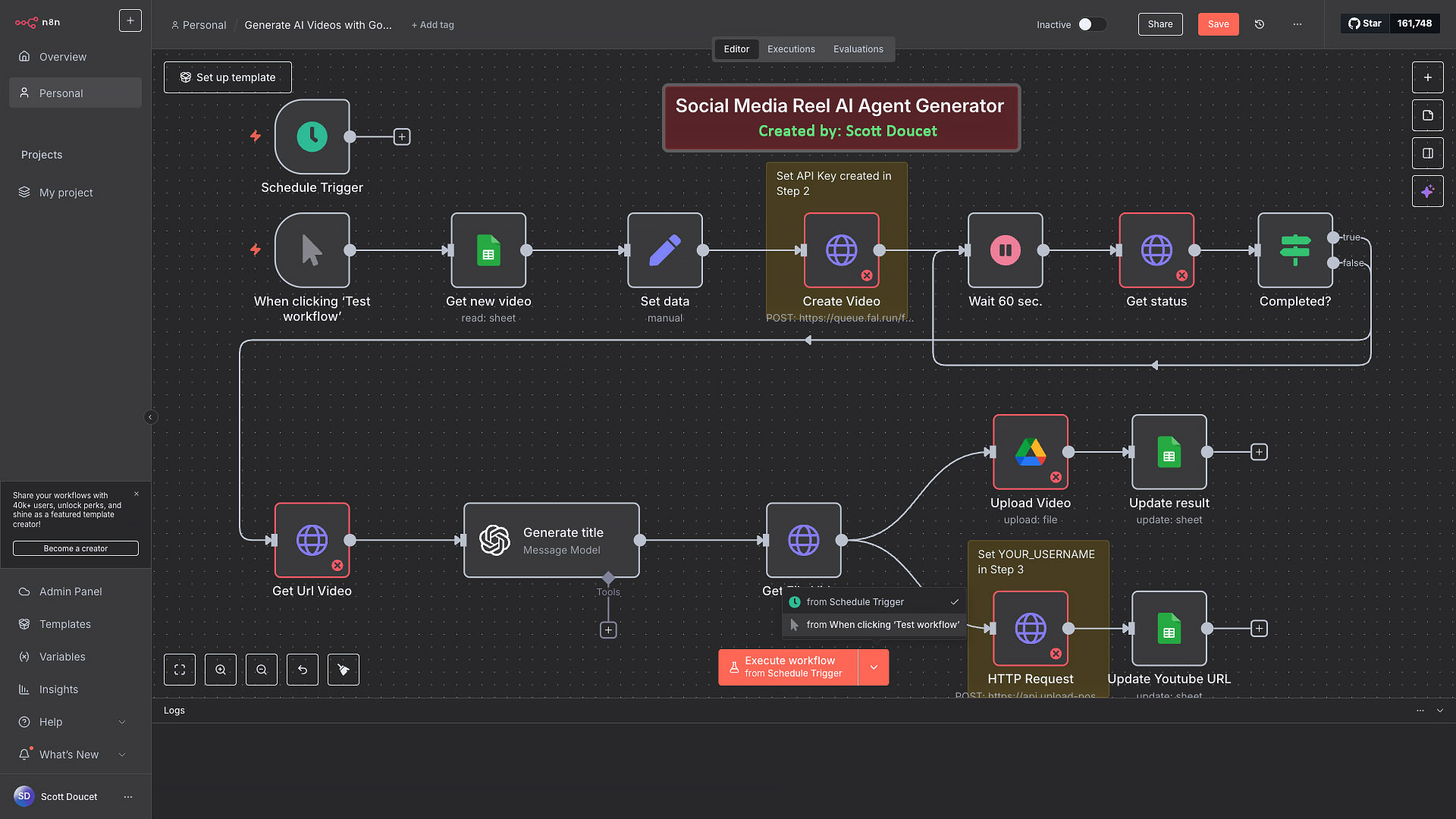 n8n AI Agent Workflow (click to expand)

 History Roads Teaser
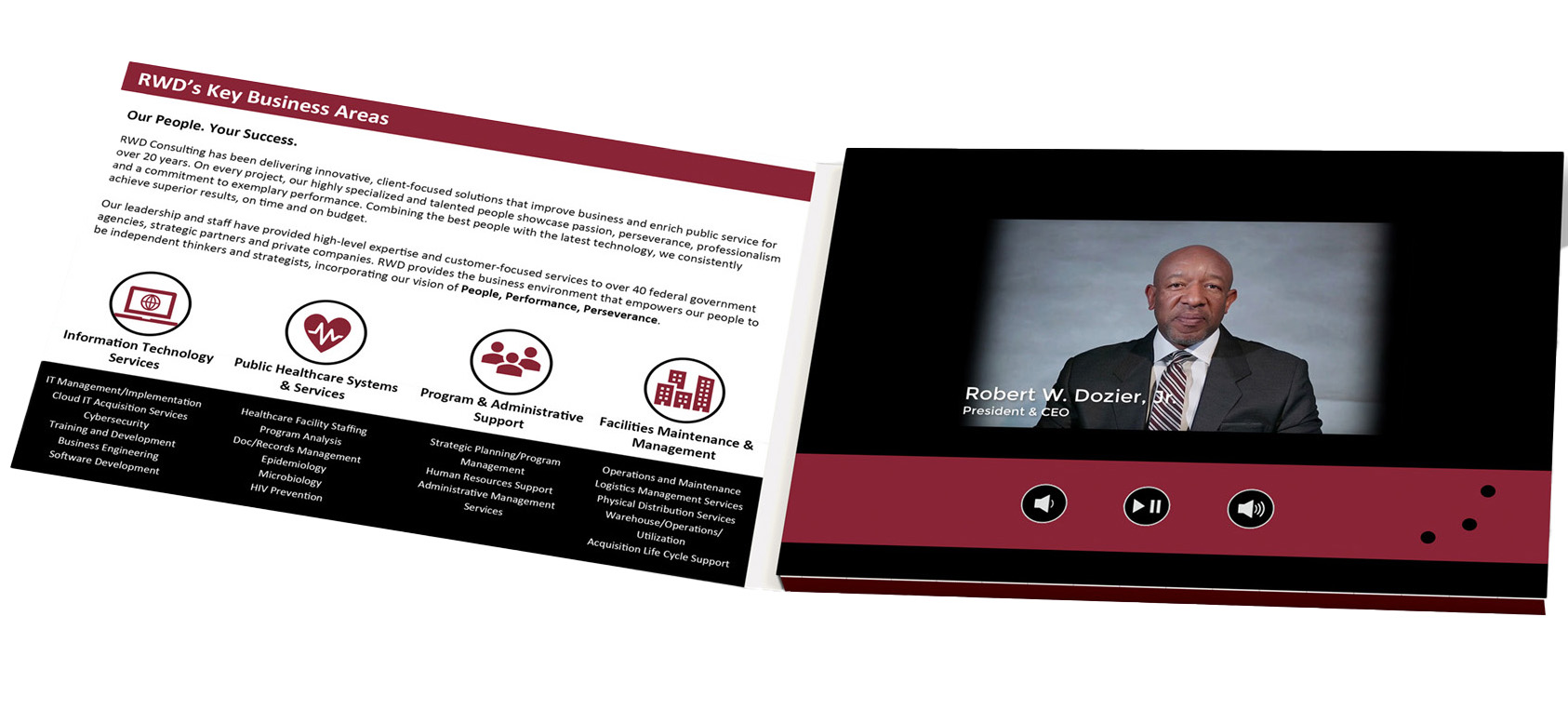 Video Brochures
Video Production & E-Learning
I began my career at 20th Century Fox in Los Angeles—starting in payroll, then moving into TV Production on weekly shows and Movies of the Week. During a six-month writers strike, I used the downtime to dive into PCs, multimedia, and software development. Although most of my career since then has been in IT, I’ve never lost my passion for video production and for turning ideas into clear, engaging stories.
For more than 25 years, I’ve produced hundreds of corporate, marketing, and training videos for government, nonprofit, and corporate clients. Working with a wide range of 4K video cameras and drones, I can capture just about any shot needed. I’m also highly skilled in post-production, using Premiere, Final Cut Pro, and DaVinci Resolve to craft polished, compelling productions.
For training, I’ve delivered SCORM-based courses with quizzes and certifications, and I include subtitles and accessible navigation patterns to support Section 508 and learners using assistive technologies. Within the VA’s SCORM learning system, the training modules I produced for VA applications earned an average
learner rating of 4.9/5.
What I produce:
Corporate communications & training
Marketing promos (ads, demos, brand stories)
Explainers & CBT (tutorials, simulations)
Documentary & web series
Video Brochures
AI Generated Videos
Recently, to help others pass the difficult DHS Section 508 Trusted Tester exam, I created 508tutorials.com, a site with over 60 videos that walk users through the testing process and, more importantly, teach them how to think like a Trusted Tester so they can apply those skills on real-world projects.
I’m also FAA Part 107 certified (Unmanned Remote Pilot) for commercial drone footage, and in 2022 I produced a 30-minute History Roads pilot focused on Ellijay, Georgia. Whether you need a corporate video, a series of training modules, or multimedia assets to support a broader campaign, I can help plan and produce content that looks professional, reinforces your brand, and supports your business goals.